
AI Photo Animator
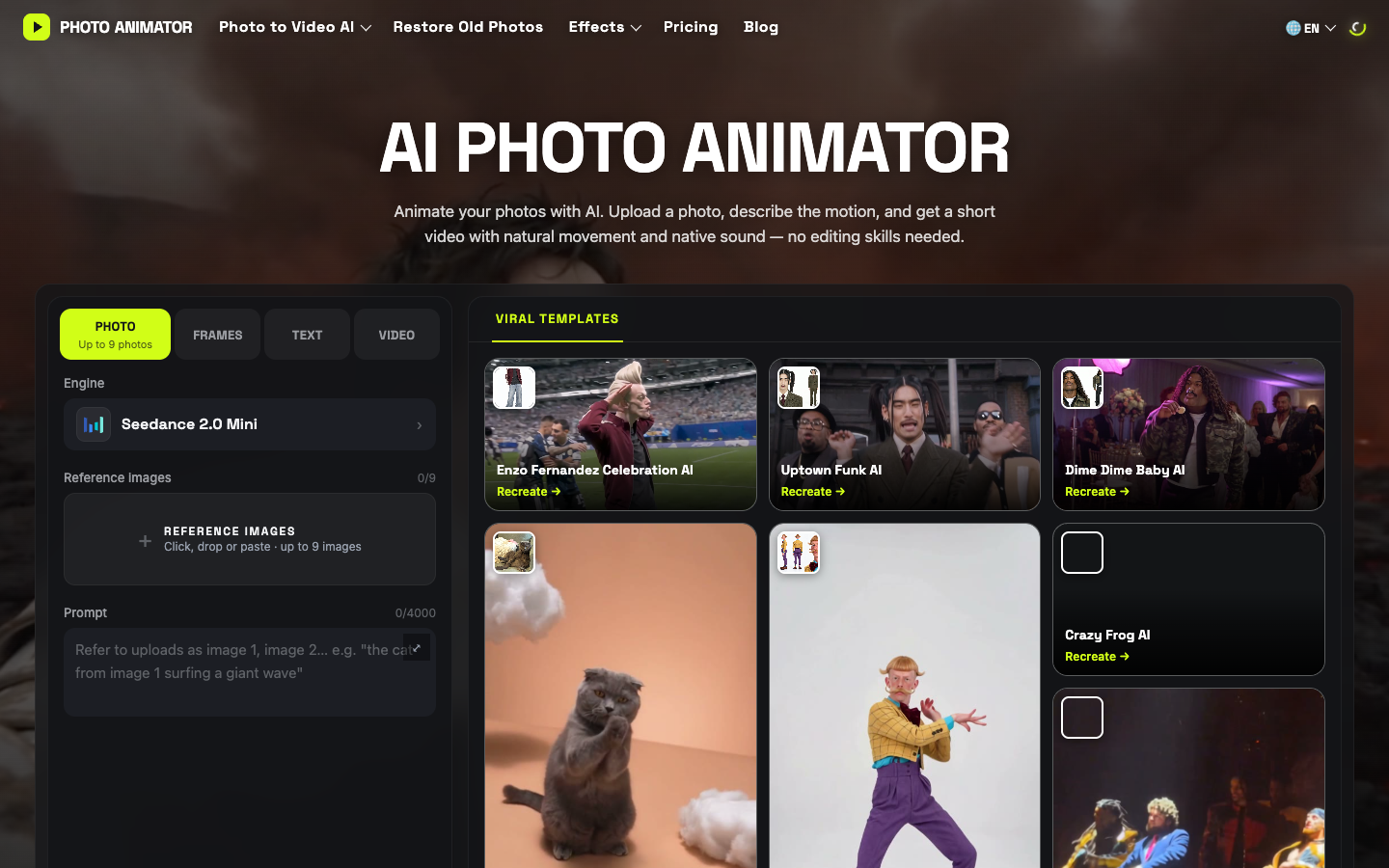
AI Photo Animator turns still photos into short videos with natural movement and native audio using multiple AI video models.
What is AI Photo Animator?
AI Photo Animator is a web-based image-to-video tool designed to bring still pictures to life. By combining prompt-based instructions with generative video technology, it allows creators to animate subjects while preserving the original styling, details, and colors of the source image. The platform aggregates several AI video engines, such as Seedance, Kling, Wan, and Hailuo, under a single account and credit balance.
How does AI Photo Animator work?
The platform offers a guided generation workflow across two primary modes: Photos as References and Photos as Keyframes.
- Upload one or more source photos in JPG, PNG, or WebP format.
- Enter a descriptive text prompt detailing the intended movement or camera motion, such as smiling, turning, or walking.
- Choose an AI model, output length, and aspect ratio (such as 9:16 or 16:9).
- Review the required credit cost displayed before generating, then process the video.
- Download the completed animation as an MP4 file with native audio if supported by the chosen model.
Use Cases
- Animating old family photos and historical scans with subtle facial expressions.
- Creating dynamic social media clips, dances, and memes from single portrait photos.
- Adding motion elements like moving clouds, water, or ambient lighting to landscape and travel photography.
- Generating product showcases and animated motion clips for commercial presentations.
- Bringing illustrations, anime characters, and paintings to life in their original art style.
Key Features
- Unified access to multiple video models including Seedance, Kling, Wan, and Hailuo
- Two creation methods: reference photo mode and keyframe animation mode
- Native audio generation integrated with motion on supported models
- Pre-configured viral animation and dance templates
- Support for common image formats including JPG, PNG, and WebP
Frequently Asked Questions
Is AI Photo Animator free to use?
New accounts receive free credits upon sign-up to test photo animation. Additional generations require purchasing credits or subscribing, with generation costs displayed before processing.
What image formats can be animated?
The tool accepts JPG, PNG, and WebP files, working with portraits, old family scans, pet pictures, landscapes, products, and artwork.
Do generated videos include audio?
Supported AI models can generate native sound and voices alongside the visual motion, and audio can be disabled where allowed by the model.
Can generated animations be used commercially?
Paid plans include commercial use rights for generated videos, subject to the platform's terms and the conditions of each underlying model.
Alternative Tools
-
 Animate Photo Animate Photo turns still photos, digital artwork, and product shots into animated videos with customizable motion and video effects.
 -
 Buzzy AI Buzzy AI is an AI video generation platform designed to create long-form video scenes, AI films, and commercials with guided creative control.
 -
 Kaiber Create videos using your own images or text.
 -
Luma Dream Machine 1.5 Generate efficient video content from text and images.
-
Pika 2.1 Create videos from images or text prompts using our video creation tool.
-
 Hotel Lobby AI Create 15-second AI duo rap videos in landscape format by uploading two photos into customizable studio and themed templates.