
LayerGrab
LayerGrab is an AI tool that splits flat images into named transparent layers and fills in the underlying background.
What is LayerGrab?
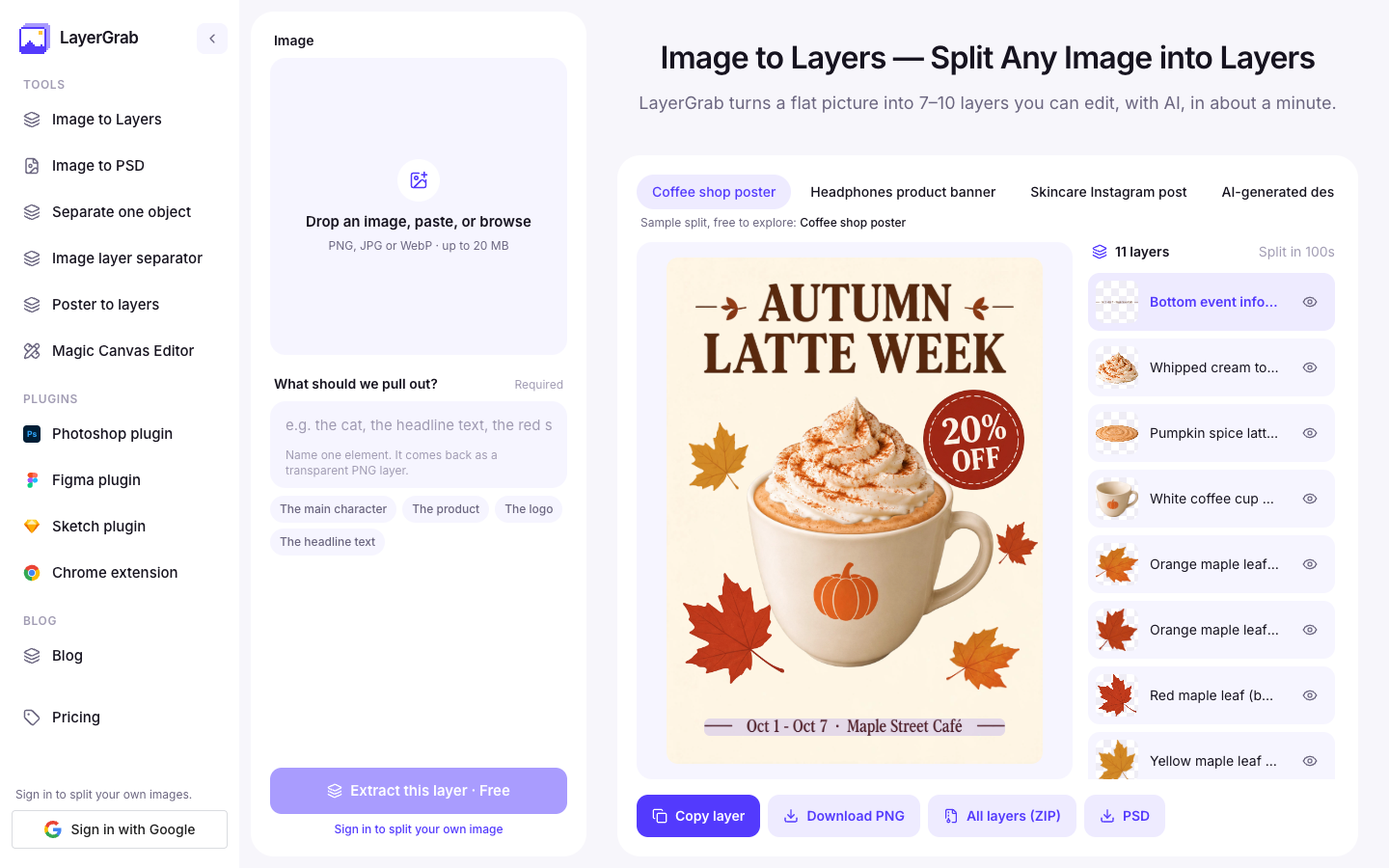
LayerGrab is an AI tool that converts flat images into stacks of editable, named layers. It addresses the common challenge of editing visuals when the original source files are unavailable, such as with flat marketing graphics, client mockups, stock illustrations, and AI-generated imagery. Instead of requiring users to manually trace or redraw elements, LayerGrab uses artificial intelligence to isolate individual objects, badges, and headline texts onto transparent layers while inpainting the background behind them so no gaps are left behind.
How does LayerGrab work?
LayerGrab works through a straightforward web and plugin-based workflow:
- Upload an image: Users drop, paste, or select a PNG, JPG, or WebP file up to 20 MB.
- Layer separation: The AI processes the image in approximately 60 to 100 seconds, identifying elements and generating transparent layers while reconstructing the hidden background.
- Layer selection: Each generated layer is labeled with a descriptive English name indicating its contents, such as a specific product, character, or headline text. Users can hide or preview individual layers.
- Export: Elements can be extracted individually as transparent PNGs, copied to the clipboard, or downloaded altogether as a ZIP archive or a layered PSD file.
Use Cases
- Editing AI-generated images: Repositioning, resizing, or removing specific elements from flat AI visuals without needing to regenerate the full prompt.
- Updating text on promotional posters: Isolating headline text onto its own layer and using the filled-in background to set new promotional copy for localized campaigns.
- Asset reuse for graphic design: Pulling clean, transparent products, badges, or illustrations from flat graphics to reuse in new layouts across tools like Photoshop, Figma, Canva, or Sketch.
- Rebuilding flat client assets: Turning flattened ad banners or presentation slides back into multi-layered PSD files for further modifications.
Key Features
- Splits flat images into up to 16 separate transparent layers
- Automatically fills and inpaints the background behind separated elements
- Assigns descriptive English names to layers based on recognized visual content
- Exports layers as individual PNGs, complete ZIP archives, or layered PSD files
- Isolates specific individual elements by naming what to extract
Frequently Asked Questions
What file formats does LayerGrab support for uploads and exports?
LayerGrab accepts uploads in PNG, JPG, or WebP formats up to 20 MB. It can export extracted layers as individual transparent PNG files, a full ZIP archive, or a layered PSD file.
Are extracted text layers editable as text fonts?
No, text layers are generated as transparent raster images rather than live typography. However, because LayerGrab fills in the background behind them, you can hide the layer and add new text using standard design software.
Can LayerGrab be used directly inside design software?
Yes, LayerGrab provides plugins for Figma, Photoshop, and Sketch, as well as a Chrome browser extension that allows users to split images directly from web pages.
How many layers does LayerGrab typically create?
LayerGrab generally extracts between 7 to 10 named layers plus the inpainted background, and can separate up to 16 distinct transparent layers depending on the image composition.
Alternative Tools
-
sparkpix.ai sparkpix.ai is a browser-based AI photo editor that allows users to enhance, restore, clean up, and restyle images using natural language text prompts.
-
Deep Agency Create stunning virtual photos with our digital photo studio platform, perfect for photography enthusiasts.
-
 Gigapixel AI Upscaler Transform pixelated images into high-quality visuals with AI-powered upsampling.
 -
InPixio Advanced image enhancement and editing tool for professional results.
-
 Magnific AI Easily enhance your images with this powerful tool for improving quality and detail.
 -
 Photo AI Explore Photo AI on AiToolsList.Tools.