 Featured
Video Editing AI Tools
Edit videos faster and smarter with the ultimate directory of AI video editing tools. Discover platforms to automate silence removal, generate animated subtitles, enhance video quality to 4K/8K, and remove backgrounds. Perfect for YouTubers, podcasters, and video creators.
Tools in this category
66
Featured
A few visually richer picks from Video Editing, highlighted first for quicker browsing.
Featured  Featured
  Featured
  Featured
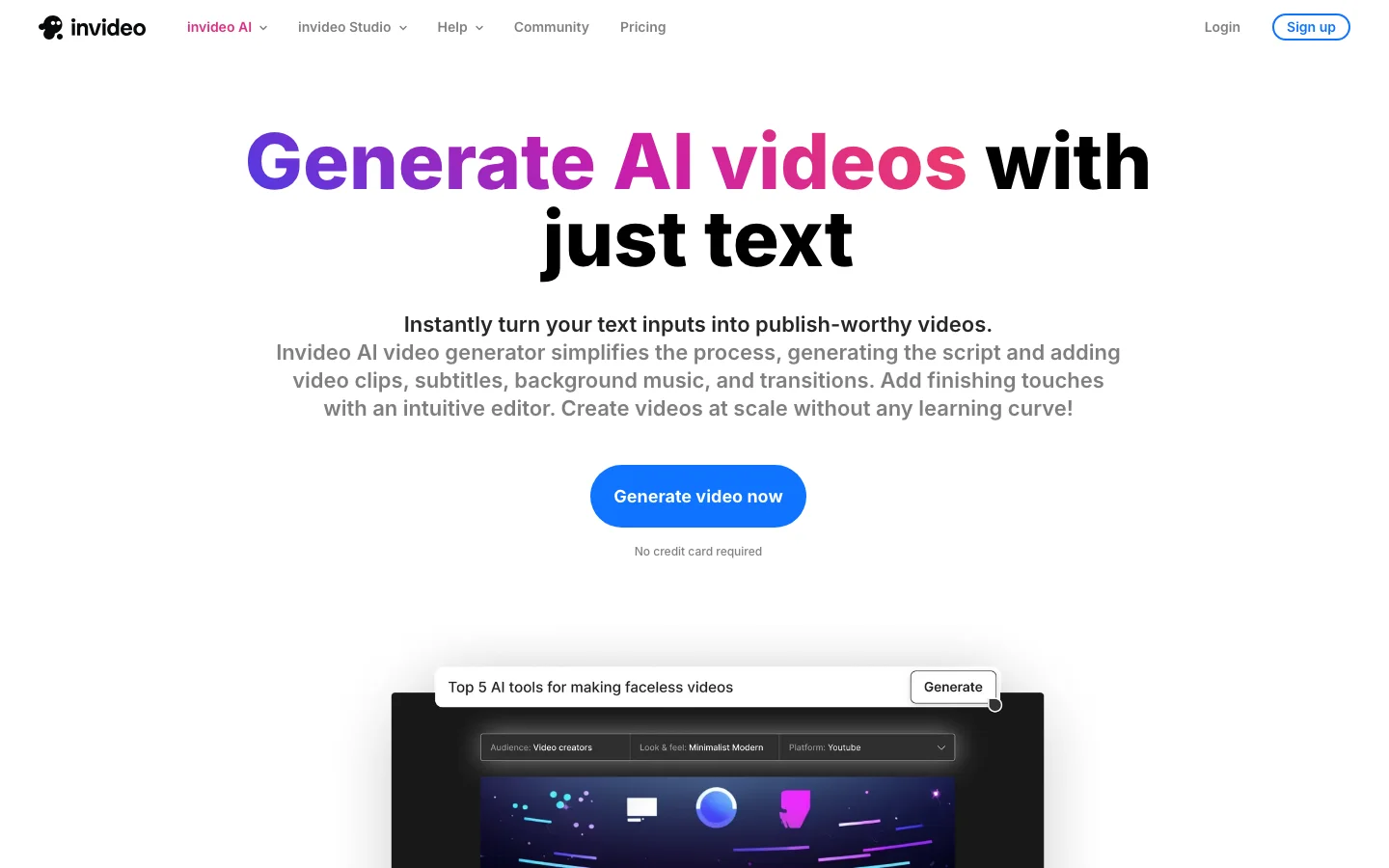
 InVideo
Transform your ideas into stunning full-length videos with just a few text prompts.
Latest
Browse the rest of the Video Editing tools in the full directory list below.
Icon.me
Create and manage video ads with a tool designed for video ad creation and management.

Beeble AI
Transform your 2D footage into stunning 3D visuals for perfect virtual lighting and effects editing.

Jumper
Video editing software that helps you easily find and organize your content while streamlining your editing workflow.
Video Seal
Protect your video content and verify its authenticity with an imperceptible watermark tool.
Recut
Easily remove silent parts from audio & video files.
Pointa.video
Easily create stunning videos with zoom effects, vibrant backgrounds, and professional audio.

Cutback
Effortlessly generate clips and analyze video content for deeper insights.

Cutback
Efficiently automate transcription, trimming, and silence removal for a smoother video editing workflow.

Jupitrr AI
Automate B-roll creation for content marketing videos with this tool.

Magicroll.ai
Seo friendly platform to automate video editing.

Runway Gen-3
Professional video editing tool with AI-powered background remover.
HitPaw Video Editor
Discover our video editing software with automated subtitles, cutting, effects, and enhancement tools.
EazyCaptions
Multilingual video captions with emojis and B-roll footage: an easy-to-use solution.

TopView.ai
Quickly edit videos and automate your workflow from script to final cut.

Viggle
Transform images of people into any animation you desire.

Fotor Video Enhancer
Boost your video quality easily with our tool.
Crayo
Automate video creation with captions, effects, and music using this powerful tool.

RecCloud
Effortlessly manage video/audio processing and screen recording with our advanced AI chatbot for auto-subtitles and secure cloud storage.
AutoCut
Discover an Adobe Premiere Pro plugin that automates silence removal, adds animated captions, and offers other video editing tools.

Imaginario.ai
A tool to search and transcribe audio while creating video clips.

Nero AI Video Upscaler
Easily upscale your 4K video using this tool.

Clipfly
An online video editor designed for efficient video creation with advanced editing tools to achieve professional results.

Nero AI Video Upscaler
Create personalized video messages for sales outreach using voice and face cloning technology.

OneTake AI
A video editor that allows you to automate the editing process and create presentations.
FastCut
Create stunning videos with auto captions and templates and more features.

Vsub
A tool to create captions for videos and animated subtitles.
SNAPVID
Transform your video editing skills easily by turning any video into a shareable, viral short.

Capsule
Edit videos quickly and easily.

FireCut
Get professional-grade video editing capabilities as a plugin for Adobe Premiere Pro.
AVCLabs Video Enhancer
Boost your video quality effortlessly.

Loom AI
A tool to record, share, and manage video messages with ease.
Ssemble
Create stunning videos easily with our online video editor.
Syllaby
Create viral videos effortlessly with Syllaby.io.
Vimeo AI
Easily create, edit, and share videos on our platform.

Roll
Effortlessly create and edit videos with an iOS app.

Record Once
Create video demo tutorials with voice-overs and text guides.
Vmake
Powerful tool for enhancing image and video editing.
CapCut
Elevate your creative output with our professional-grade online creative suite designed for creating high-quality videos and images.

Submagic
Discover a tool to generate video captions with emojis.

Wrpup
Create video highlights from long clips with ease.

AutoPod
Discover a set of plugins for Adobe Premiere Pro that automate video, podcast, and show production.

EASYSUB
Create and translate video subtitles effortlessly.

keyframes.studio
A powerful all-in-one video editor for creating, editing, and sharing social media content.
Scribewave AI
Easily transcribe audio and video files with this tool that converts media into text.
Unboring.ai
Easily edit photos and videos online.
VEED
Online video editing platform that creates and edits videos.
Kapwing
A platform for seamless video editing.

Wavel.ai
Discover a platform offering subtitle and voiceover services for your video content.

Unscreen
A tool to remove backgrounds from videos and GIFs.
Wonder Dynamics
Transform your CG characters into a stunning live-action scene with precise lighting and composition.
HitPaw Video Enhancer
Advanced video enhancement software for improving video quality up to 8K resolution.

Muse AI
Simplify your video management needs with our all-in-one solution offering 4K playback, powerful analytics, and smart AI search.

Type Studio
An all-in-one editing solution offering transcription, video editing, and content repurposing capabilities.

Munch
Maximize your content's reach by repurposing it for social media and other digital platforms.

Gling
Perfectly identify and eliminate pauses and hesitations from your videos.

Picsart
AI-powered tools assist creators in designing, editing, drawing, and sharing photo and video content.

PEECH
Enhance your video editing with AI-powered tools.
CognitiveMill
Powerful automation solutions designed for the media and entertainment industry.
Wave.Video
Efficiently create professional subtitles for your videos with ease.
Timebolt
Enhance your video and podcast content by removing silence, speeding up scenes, and cutting unnecessary commentary.

Wisecut
Get rid of silence, speed up scenes in videos and podcasts, and remove unnecessary commentary.
Supercreator.ai
Transform scripts into AI-powered videos with your smartphone.
Video Editing FAQs
What are Video Editing tools?
Video Editing tools help users create, improve, edit, or repurpose audio, video, and visual media with less manual work. Depending on the use case, they may generate assets from prompts, enhance source material, clean up recordings, or automate post-production steps that normally take significant time. These tools are valuable for both rapid content creation and more polished media workflows. This category page helps you compare a broad set of Video Editing products in one place.
What are the best Video Editing tools?
The best Video Editing tools usually combine high output quality with speed, intuitive controls, and export options that fit real publishing workflows. Some are ideal for creators who need quick content, while others are better for teams handling editing, production, or distribution at scale. The best option often depends on your preferred workflow, source material, and required level of control. Comparing several tools before choosing is the smartest approach.
Are there any free Video Editing tools?
Yes, many Video Editing tools offer free plans, starter credits, or time-limited trials so users can test quality before upgrading. Free access is often enough for evaluation, light content work, or personal experiments, but advanced exports, longer processing, and premium models are usually reserved for paid tiers. This directory includes a mix of free, freemium, and paid Video Editing tools so you can identify practical options at different price levels.
How do I choose a Video Editing tool?
To choose a Video Editing tool, look closely at output quality, editing flexibility, export formats, turnaround speed, and how easily the tool fits into your publishing process. It is also worth checking for watermark rules, licensing terms, collaboration features, and integrations with the platforms you already use. Running the same sample project through a few different tools is often the clearest way to compare strengths and weaknesses.
Who should use Video Editing tools?
Video Editing tools are useful for content creators, marketers, agencies, podcasters, social media teams, educators, and brands that need to produce media more efficiently. They help both beginners and professionals move faster, especially when volume, speed, or budget matters. If your workflow includes editing, enhancing, publishing, or repurposing media assets, a strong Video Editing tool can remove time-consuming manual steps and increase output capacity.